


 2024-12-05
 Author: SPON COMM
 Page view: 1282
System Overview
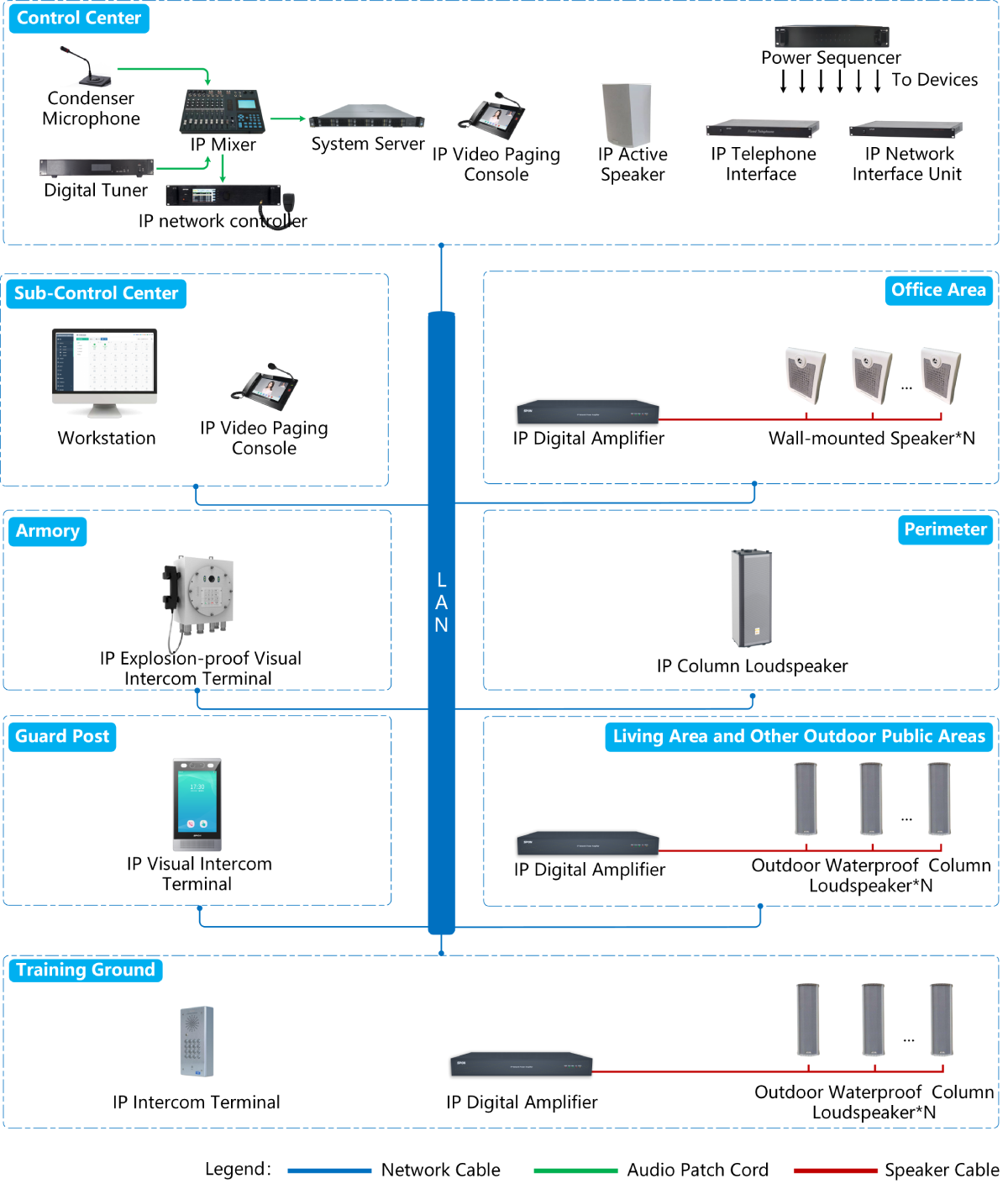
The military IP PA and intercom system uses advanced XCoIPTM technology to transmit audio, video, and control signals as data packets over the existing network. The system has a clear structure and simple deployment—broadcasting and intercom terminals are easily connected to the network, without the need for additional wiring at each access point, saving on system construction costs.
Additionally, the system is highly scalable and open, supporting communication with mobile phones and landline phones, integration with fire alarm systems, video surveillance systems, and connectivity with the military's integrated management platform for unified management and command. The system is responsive, efficient, and serves as an excellent tool for military management and command communication.
System Deployment
1、Main Control Center
Deploy dual-system servers (self-provided) and service software in the Main Control Center to manage, control, and provide hot backup for the IP network terminal devices in the system. Deploy an IP network master control unit to take over the IP network terminal devices in case of server failure. Deploy IP network-powered loudspeakers to monitor broadcast content. Deploy an IP network visualization control host to facilitate broadcast announcements and initiate/receive intercom communication with the sub-control center. Deploy IP network interface units to integrate with the fire alarm system. Deploy IP network telephone interfaces to enable communication between IP network terminal devices and mobile or fixed phones. Deploy digital tuners, broadcast microphones, and IP network mixing consoles to allow for multiple audio source selection and broadcast mixing. Deploy power sequencers to control the step-by-step power on/off of the system devices.
Equipment Configuration

1、IP Network Audio System Software
1. The system uses a B/S (Browser/Server) architecture.
2. Unified management of the terminals within the system, with the main interface displaying the current working status of each terminal.
3. The system supports broadcasting, intercom, and content monitoring, with recordings stored on the server's hard drive.
4. The system provides access to various status reports, application logs, and system logs, allowing for timely and accurate understanding of the system’s status.
5. The system offers an SDK for secondary development, enabling integration with other system platforms.
2、IP Network Master Control Unit
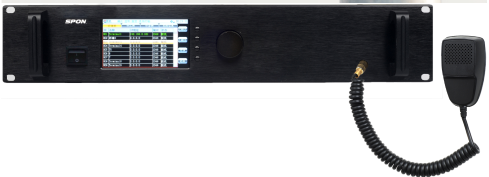
1. Uses a real-time embedded operating system with high reliability and protection against viruses.
2. Unified management of paging microphones/terminals’ task scheduling, with real-time display of terminal statuses. The system can support up to 512 audio terminals.
3. Built-in real-time audio encoder to digitize external analog audio signals.
3、IP Network Visualization Control Host
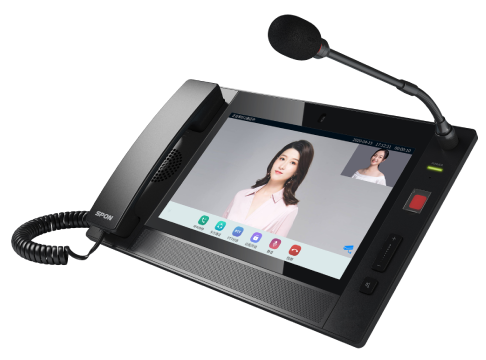
1. 10.2-inch multi-touch capacitive touchscreen with a resolution of 1280x800.
2. Built-in 13-megapixel high-definition camera.
3. Supports initiating and receiving audio/video conferences, with the host able to manage and control the meeting.
4. Allows viewing the working status of other terminals.
5. Supports visual intercom and single/partition/full-zone broadcasting.

4、IP Network Active Speaker
1. Integrated wall-mounted design, combining network audio decoding, digital amplifier, and speaker.
2. Built-in high-fidelity speaker and 2×10W (8Ω) stereo Class D power amplifier.
3. Built-in loop detection feature, allowing remote monitoring of the speaker's working status for easy maintenance.
2、Sub-Control Center
Deploy workstation software in the Sub-Control Center to manage and control the IP network terminal devices within the system's authority. Deploy an IP network visualization control host to facilitate broadcast announcements and initiate/receive intercom communication with the Main Control Center.
Equipment Configuration
1、IP Network Visualization Control Host
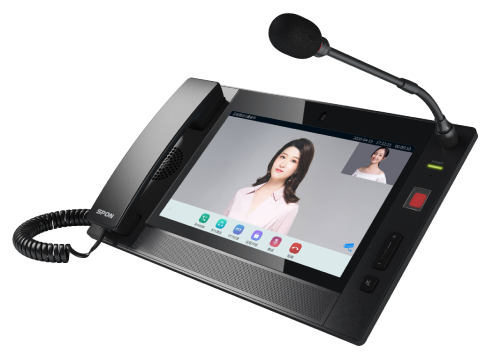
1. 10.2-inch multi-touch capacitive touchscreen with a resolution of 1280x800.
2. Built-in 13-megapixel high-definition camera.
3. Supports initiating and receiving audio/video conferences, with the host able to manage and control the meeting.
4. Allows viewing the working status of other terminals.
5. Supports visual intercom and single/partition/full-zone broadcasting.
System Functions
1、Workstation Function
The system can create workstation accounts for the sub-control center as needed, with configurable account priority and permission levels. This enables the unified networking of sub-control centers at different levels, allowing for hierarchical and coordinated management, making it easier for different military units to carry out daily training and other tasks.
2、Multiple PA System Functions
The system is suitable for various broadcasting purposes, such as business broadcasts, background music broadcasts, emergency broadcasts, and audio relay. One system can handle all these functions.
3、Scheduled Program Playback

Audio broadcast files for different time slots can be uploaded to the server, and playback schedules can be created. The system will automatically play broadcasts according to the schedule, such as announcing work hours, playing light music during meal and rest times, etc.
4、Selective Paging

Through the IP Network Visualization Control Host, paging can be directed to all, multiple, or individual terminals for broadcasting.
5、Real-Time Audio Relay
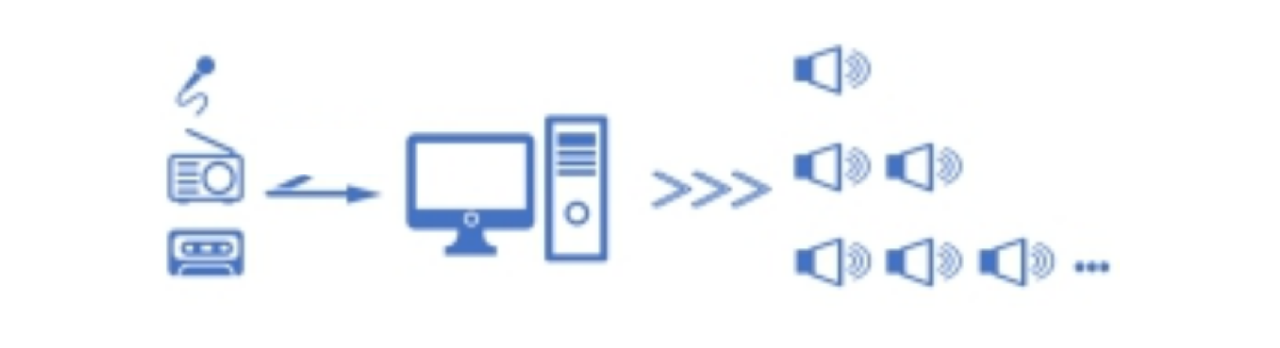
The system can receive radio broadcast programs or other external audio sources, compress them into high-quality data streams, and send them over the network to be played in real-time by the broadcast terminals.
6、Partitioned Broadcasting

The system allows any number of terminals to be grouped into a partition, playing designated audio content or broadcasting to specific areas. The volume of each terminal can be remotely adjusted.
7、Fire Alarm Integration

The system can be integrated with fire alarm systems for automatic emergency broadcasting when an alarm signal is triggered. It also supports multi-level alarms and one-click manual emergency broadcasts.
8、Telephone Broadcasting
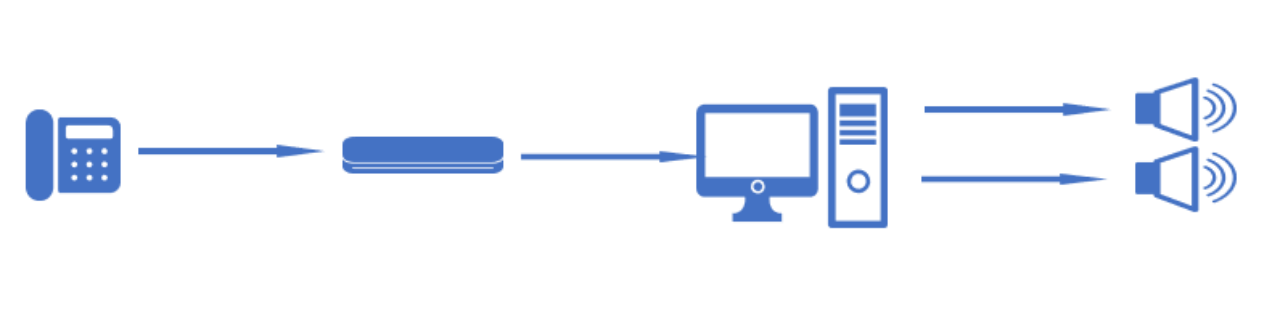
The system supports telephone network integration through IP network telephone interfaces, enabling remote broadcasting via external phone lines or mobile phones, allowing broadcast notifications anytime, anywhere.
9、Text-to-Speech Broadcasting
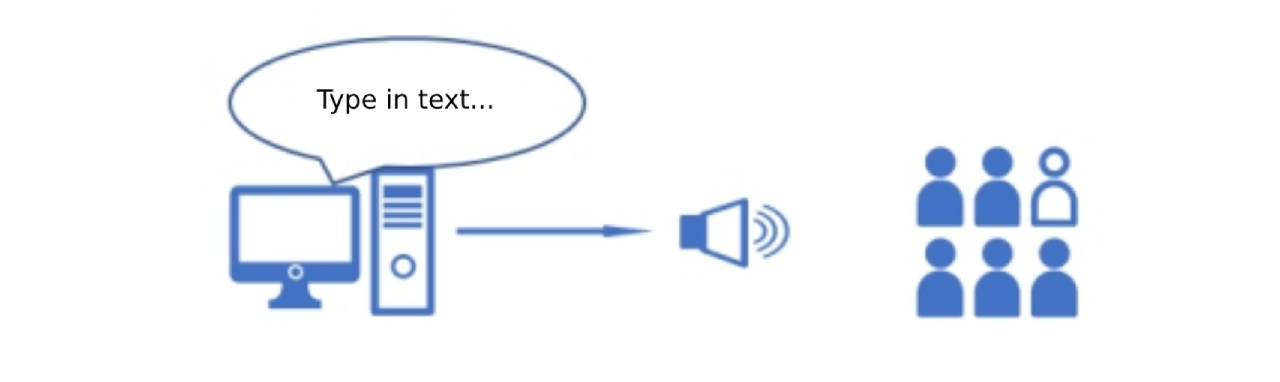
The system supports TTS (Text-to-Speech) broadcasting, where typed text is automatically converted into speech for broadcast.
10、Emergency Assistance
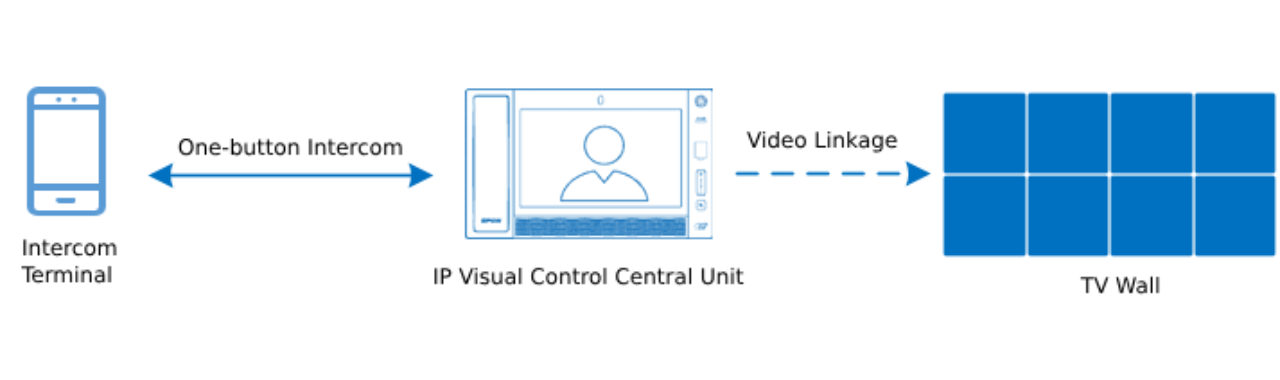
In the event of an emergency in areas such as training grounds, armories, or guard posts, a one-touch call can be made to the sub-control center for assistance.
11、Two-Way Intercom
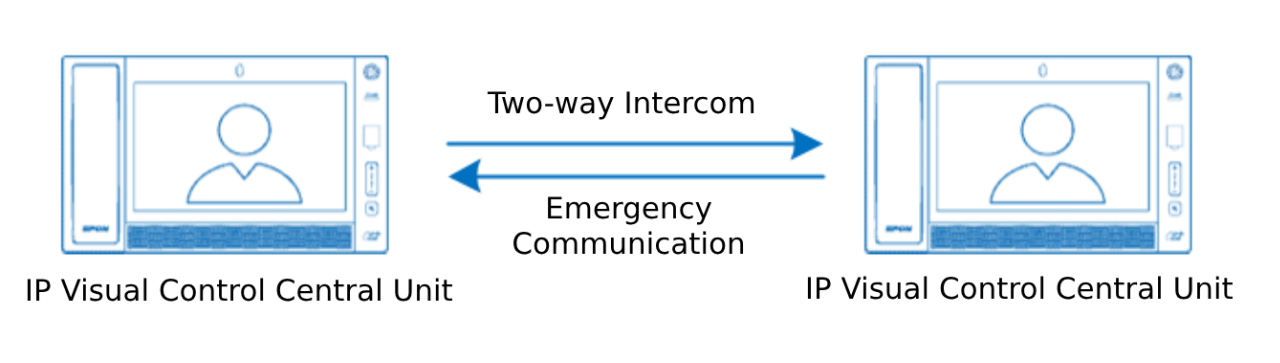
Main control centers, sub-control centers, guard posts, armories, and training grounds can all intercommunicate with each other, enabling intercom for daily communication and emergency communication.
12、Telephone Intercom Access

The system can integrate with telephone networks through IP network telephone interfaces, enabling two-way communication between external phones or mobile phones and the IP intercom terminals. Leaders can use external phones or mobile phones for remote intercom communication and to receive help calls from IP intercom terminals.
13、Multi-Party Call
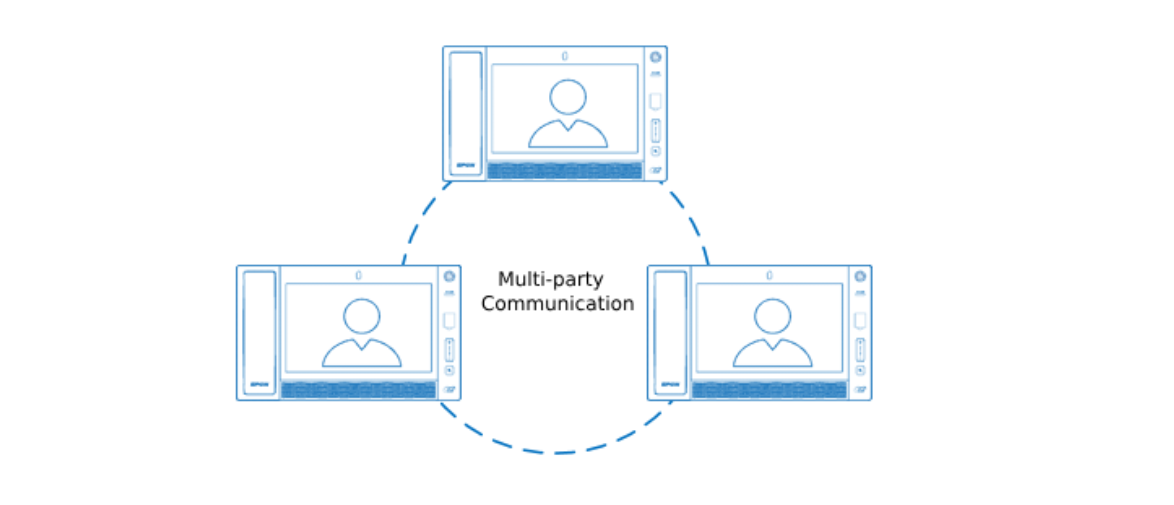
The IP Network Visualization Control Host supports multi-party calls (up to five parties), facilitating communication and coordination between the main control center, sub-control centers, guard posts, armories, and training grounds.
14、Recording and Playback
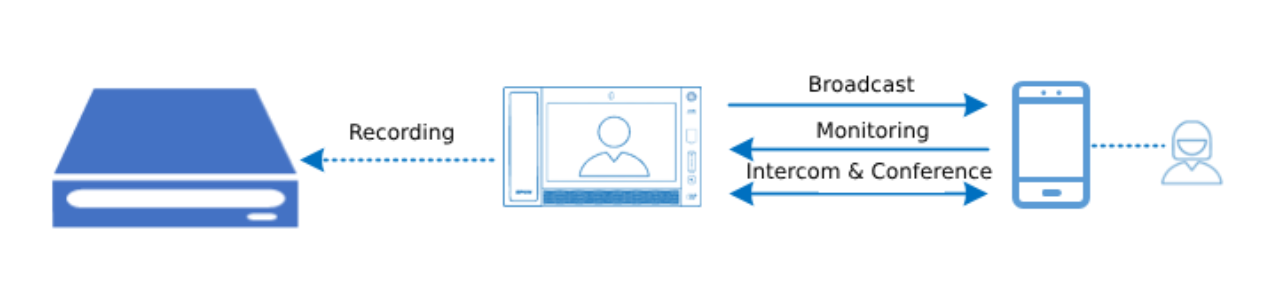
The system supports full-process recording and playback of broadcasting, intercom, monitoring, and meetings, making it easier for future reference and inquiry.
15、Platform Integration

The system provides a rich set of API interfaces for integration with the military’s comprehensive management platform. It allows for obtaining system device statuses, alarm information, initiating and controlling command communication, and interacting with video pop-up windows.
System Features
1、Dual-Server Hot Backup
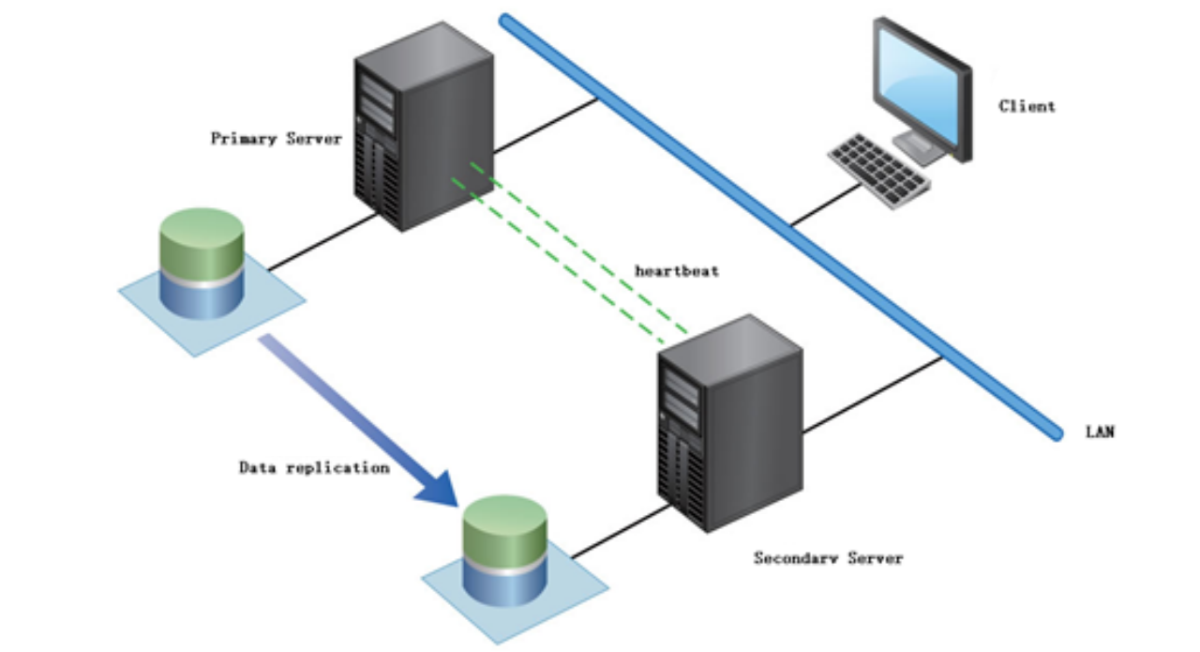
The system operates with dual-server hot backup. In case the main server fails (e.g., hardware failure, downtime, cable disconnection), the backup server will immediately take over the operations of the main server. At this point, the backup server will run the business applications, ensuring there is no interruption in service. Once the main server is restored, the backup server’s application will automatically shut down, and all devices will disconnect and log back into the main server’s software, ensuring stable system operation 24/7.
2、Dual Master Control System
The system consists of a dual-master control setup, with both the system server and the IP network master control unit working together. They can coordinate and manage simultaneously or operate independently, further enhancing the system’s reliability.
3、Video Linkage
The system can link with security video surveillance systems via the network. If any abnormal situations are detected on the video surveillance screen, users can directly initiate broadcasting/intercom/listening from the video screen. The system includes a built-in video surveillance module (which must be authorized), enabling integration with the security video surveillance system without relying on third-party video surveillance platforms.
4、Audio/Video Conference
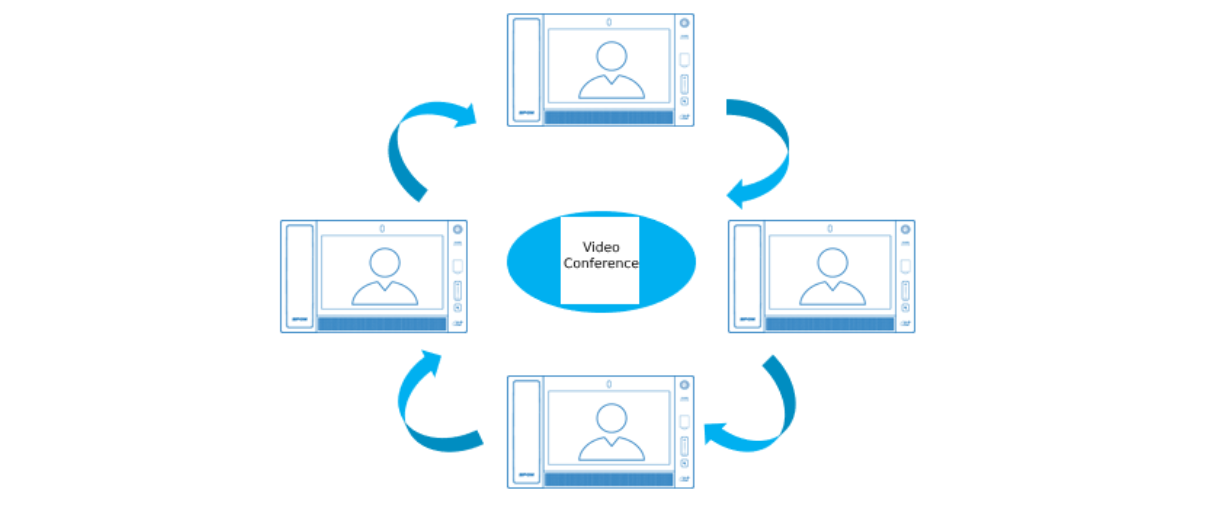
The system supports remote audio/video conferencing and allows meeting agendas and materials to be sent to the IP network visualization control host’s screen for display, facilitating training and voting.
Project Cases


 AR
AR
 EN
EN


