Cookies Setting
We use cookies to improve your browsing experience, analyze traffic, and personalize content. By using this site, you agree to our use of cookies. For more details, please check our Cookie Policy.
Home News

IP PA System Guide 2026: Components, Benefits & Setup

IP PA System Guide 2026: Components, Benefits & Setup
2026-08-03 Author: cora Page view: 2040
The public address industry has undergone a fundamental shift. Where traditional PA systems relied on dedicated analog cabling, centralized amplifiers, and hardware-based zone selectors, today's installations increasingly use the same IP networks that already carry data, voice, and video throughout a building. This shift has given rise to what the industry calls the IP PA system — a digital public address architecture built entirely on TCP/IP protocols.An IP PA system transmits audio, control signals, and management data over standard Ethernet networks. Rather than running separate audio cables to every zone, the system encodes audio into digital packets at the source, routes them through existing network infrastructure, and decodes them at intelligent endpoints — IP speakers, IP amplifiers, or network audio bridges connected to conventional loudspeakers. This approach eliminates the costly dedicated wiring of analog systems while adding capabilities that were previously impossible: software-defined zoning, remote management from any browser, automatic priority override for emergency alerts, and seamless integration with VoIP telephony, CCTV platforms, and fire alarm panels.This guide provides a comprehensive technical walkthrough of IP PA systems — from fundamental definitions and signal flow architecture to component selection, protocol standards, system integration, design scenarios, and security considerations. Whether you are an AV integrator planning a multi-building campus deployment or a facilities manager evaluating an upgrade from legacy analog equipment, the following sections cover what you need to know to make informed decisions.

What Is an IP PA System?

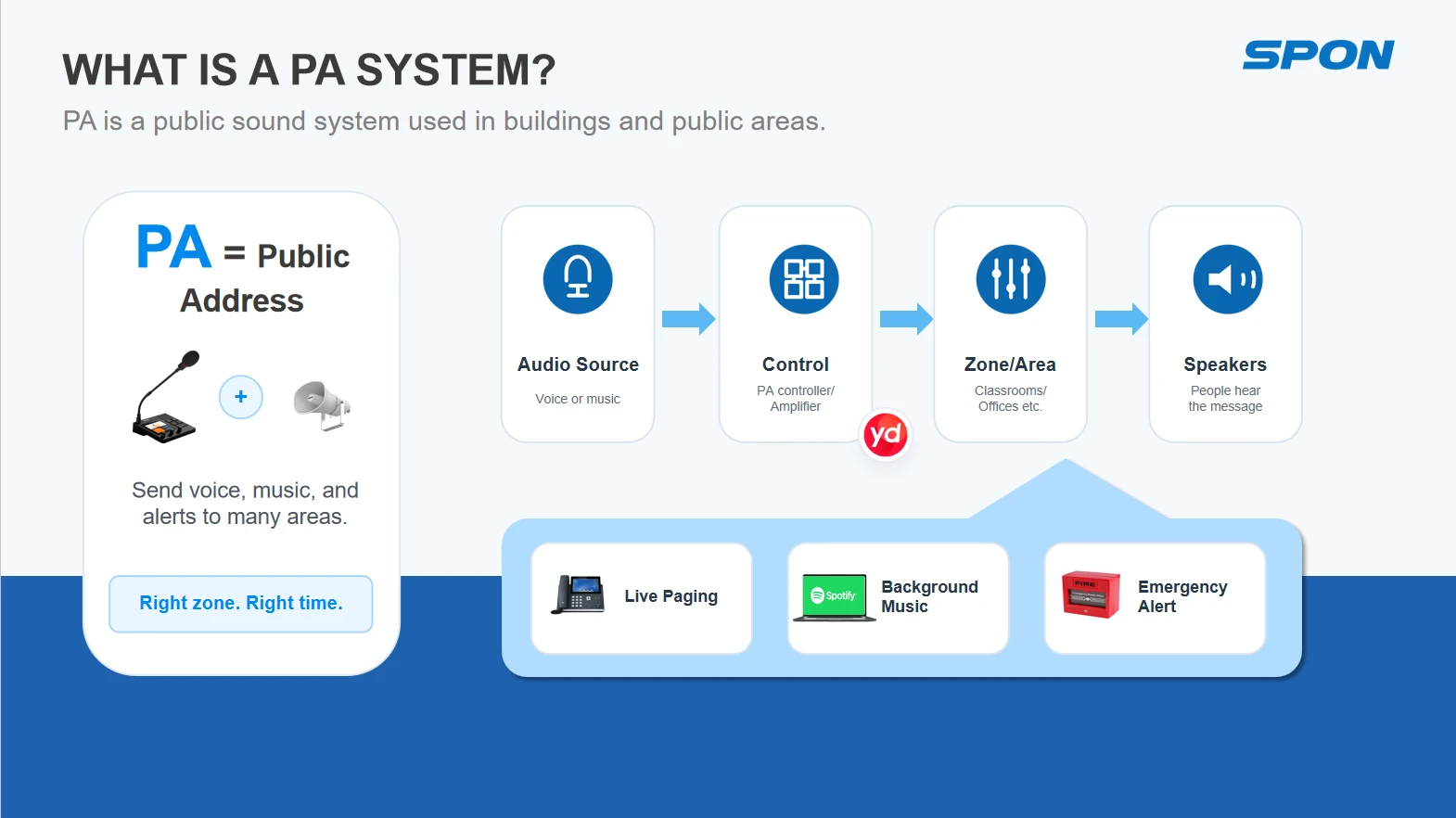
An IP PA system (Internet Protocol Public Address system) is a network-based digital communication system that uses TCP/IP protocols to distribute audio and control signals across a building or campus network. Unlike traditional analog PA systems that require dedicated audio cabling and centralized amplification, an IP PA system treats audio as network data — encoding sound into digital packets at the source, transmitting them over standard Ethernet, and decoding them at intelligent endpoints.The fundamental difference between an IP PA system and a conventional PA system lies not in what they do — both deliver background music, business paging, and emergency broadcasts — but in how they are architected. In an analog system, every audio path is a physical wire. Zone selection requires hardware matrix switches. Adding a new speaker means running new cable. In an IP system, every audio path is a data stream. Zone selection is a software configuration. Adding a new speaker means plugging into the nearest network port.
IP PA system architecture and network audio endpoints
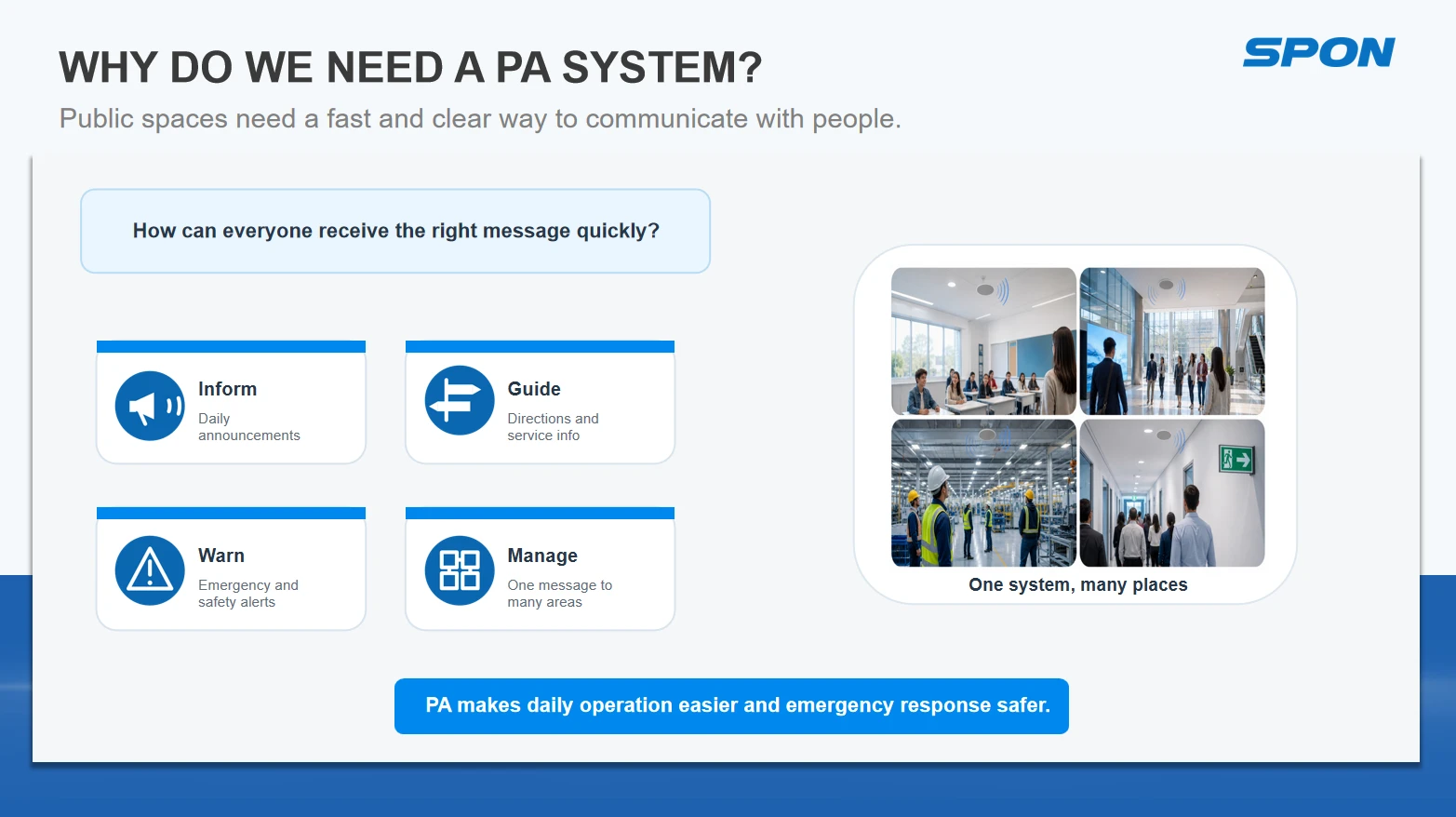
An IP PA system typically serves three core functions:
  • Background Music — Distributed audio for ambient environments, scheduled playlists, and source selection per zone
  • Business Paging — Live or pre-recorded announcements directed to specific zones, departments, or individual speakers
  • Emergency Broadcast — Priority-override alerts triggered by fire panels, access control systems, or manual activation, automatically interrupting lower-priority audio
Explore Further: For a detailed side-by-side comparison of both architectures — including wiring, scalability, maintenance, and cost — see our dedicated article: IP PA System vs Analog PA System.
 

How Does an IP PA System Work?

 
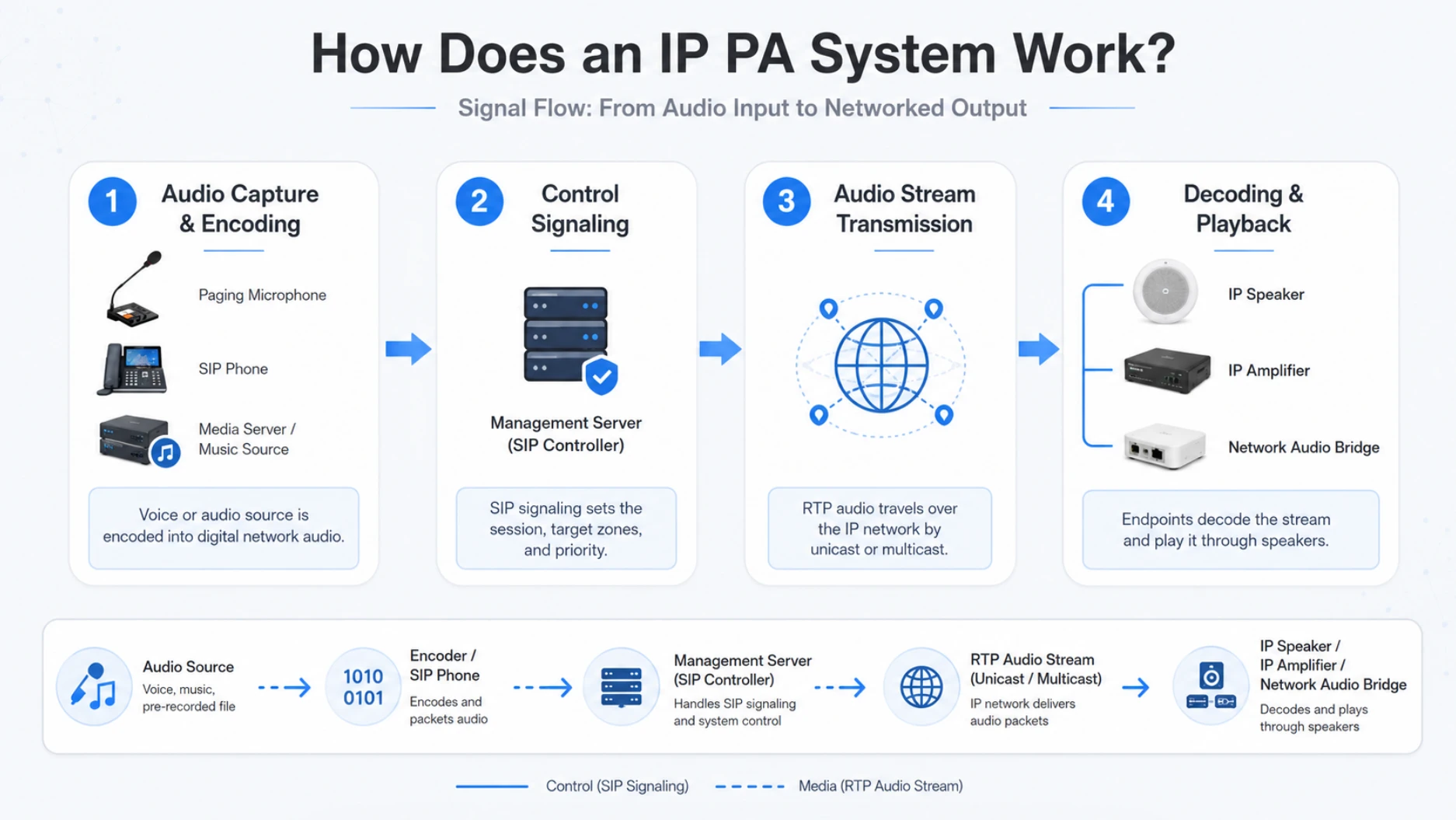
Understanding an IP PA system requires following the signal path from source to speaker. The process involves four distinct stages:Stage 1 — Audio Capture and Encoding. An audio source — a paging microphone, a media server, a SIP phone, or a pre-recorded file — feeds an analog or digital signal into an IP audio encoder or network paging station. The encoder converts the analog audio into digital data using standard audio codecs (typically G.711 or G.722 for voice, or higher-fidelity codecs for music), then packetizes the stream for network transmission.Stage 2 — Control Signaling. Before any audio flows, a control protocol — most commonly SIP (Session Initiation Protocol) — establishes the session. The paging station sends a SIP INVITE message to the management server (or directly to target endpoints), specifying which zones should receive the broadcast, what priority level applies, and whether the audio should be unicast or multicast. Think of this as the "intent" layer: it tells the system who wants to talk, to whom, and how urgently.Stage 3 — Audio Stream Transmission. Once the session is established, the encoded audio travels over the network as RTP (Real-time Transport Protocol) packets. For a single-speaker announcement, the system uses unicast — packets addressed to one specific device. For a building-wide page, it uses multicast — a single stream that the network replicates to all subscribed endpoints simultaneously, conserving bandwidth.Stage 4 — Decoding and Playback. At the receiving end, an IP speaker or IP amplifier decodes the RTP stream back to analog audio. An IP speaker contains an integrated decoder, small amplifier, and loudspeaker driver in one unit — it receives both audio data and electrical power through a single PoE (Power over Ethernet) cable. An IP amplifier performs the same decoding but outputs to conventional analog loudspeakers, making it the bridge between the IP network and traditional speaker infrastructure.
IP PA system signal flow from audio source to network speaker
 
The network is not merely a transport medium for an IP PA system — it is the system. Three network elements determine real-world performance:
  • Switches: Managed switches with IGMP snooping are essential for multicast. Without IGMP snooping, multicast traffic floods every port, degrading overall network performance. VLAN segmentation isolates PA traffic from general data, ensuring audio streams receive priority handling.
  • PoE (Power over Ethernet): IEEE 802.3af (15.4W) and 802.3at (30W) standards allow a single Cat 5e/6 cable to deliver both data and power to IP speakers and paging stations. This eliminates the need for separate power supplies at each endpoint — a significant installation advantage, particularly in ceiling-mounted and outdoor deployments.
  • QoS (Quality of Service): Network switches configured with QoS policies prioritize audio packets over less time-sensitive traffic. For PA applications, latency should remain below 50 milliseconds to ensure that live paging does not sound delayed or echo-prone.

Core Components of an IP PA System

A complete IP PA system comprises five functional layers: audio sources, control and management, IP amplifiers, IP speakers, and network audio bridges for legacy integration. Each component plays a specific role in the signal chain.

Audio Sources

Sources feed audio into the system. Common inputs include:
  • IP Paging Microphones / Stations: Desktop or wall-mounted devices with built-in SIP clients. They initiate paging calls directly to the server or to specific zones without requiring a separate encoder.
  • Digital Media Servers: Network-attached storage devices streaming pre-recorded announcements, scheduled playlists, or internet radio feeds.
  • SIP Phones and VoIP Handsets: Any SIP-registered phone can be authorized to page specific zones, turning the existing telephone system into a paging tool.
  • External Analog Sources: Traditional microphones, CD players, or Bluetooth receivers connect through IP audio encoders that digitize the signal for network transmission.

Controllers and Management Software

The management layer is the system's brain. Depending on project scale, it takes one of three forms:
  • Embedded Paging Controller (small projects, ≤30 terminals): A network paging station with a built-in server. No separate server hardware required — the station manages zoning, scheduling, and priority internally. Ideal for single-building installations.
  • Central Management Server (large projects, up to 3,000 terminals): A dedicated server running PA management software. It handles complex scheduling, multi-zone synchronization, user permission management, device monitoring, and system health reporting. Supports distributed deployments across multiple buildings or campuses.
  • Cloud-Based Management (multi-site enterprises): A cloud-hosted platform managed via mobile app or web portal. Enables centralized control of PA systems across geographically distributed locations — ideal for retail chains with dozens of stores, each with its own local IP PA hardware but unified management.
Management software typically provides:
  • Zone creation, modification, and deletion through a drag-and-drop interface
  • Scheduled broadcast programming (time, zone, source, priority)
  • User authentication and permission levels (operator, administrator, emergency-only)
  • Real-time device status monitoring with fault alerts
  • Broadcast logging and audit trails

IP Amplifiers

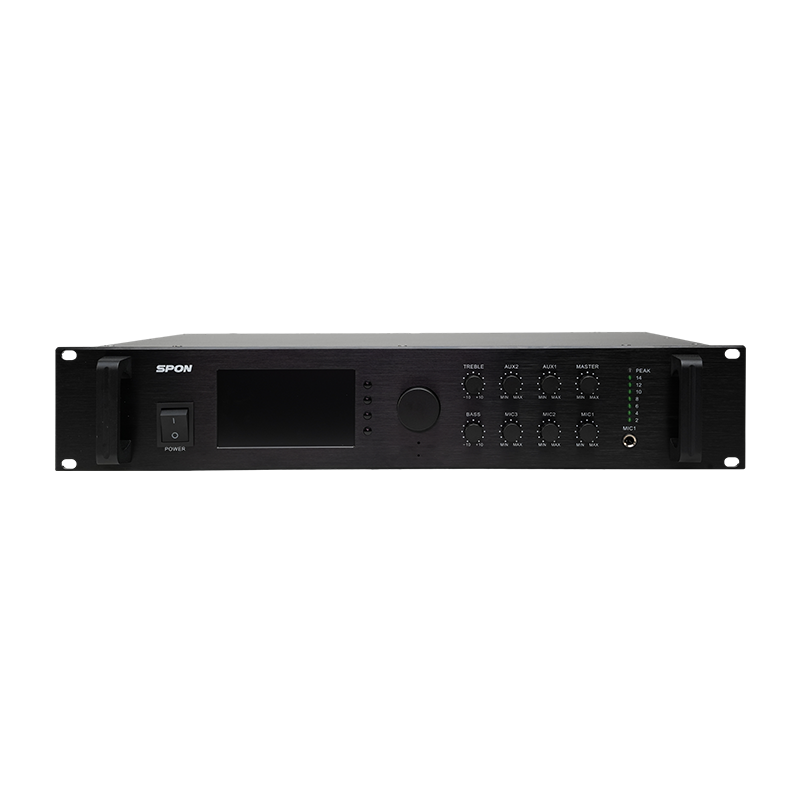
IP amplifiers serve as the bridge between the digital network and analog loudspeakers. They decode incoming RTP audio streams and amplify the signal to drive conventional speaker loads. Key models and selection criteria include:
Amplifier Type Model Series Power Range Best For
Single-Channel XC-9508 series 130W / 260W / 360W / 500W Simple projects with no zone-splitting needs
4-Channel NXT-2204P series 1000W (4×250W configurable) Multi-zone projects needing simultaneous different audio per zone
4-Zone NBS-2301 series 130W – 700W Projects needing multiple zones with shared audio rotation
Amplifier Selection Formula: Rated amplifier power should be at least 1.5× the total speaker load. For example, six 50W speakers draw 300W total; the amplifier should deliver ≥450W (300 × 1.5). This headroom prevents clipping during dynamic peaks and extends amplifier lifespan.

IP Speakers and Analog Speaker

IP speakers are all-in-one network endpoints — decoder, amplifier, and loudspeaker in a single enclosure. Powered by PoE, they require only a network connection. Available form factors include:
  • Network Ceiling Speakers: Flush-mount tiles for drop ceilings, common in offices, retail, and corridors
  • Network Wall-Mount Speakers: Surface-mount enclosures for buildings without ceiling cavities
  • Network Horn Speakers: High-efficiency drivers for outdoor and large open areas
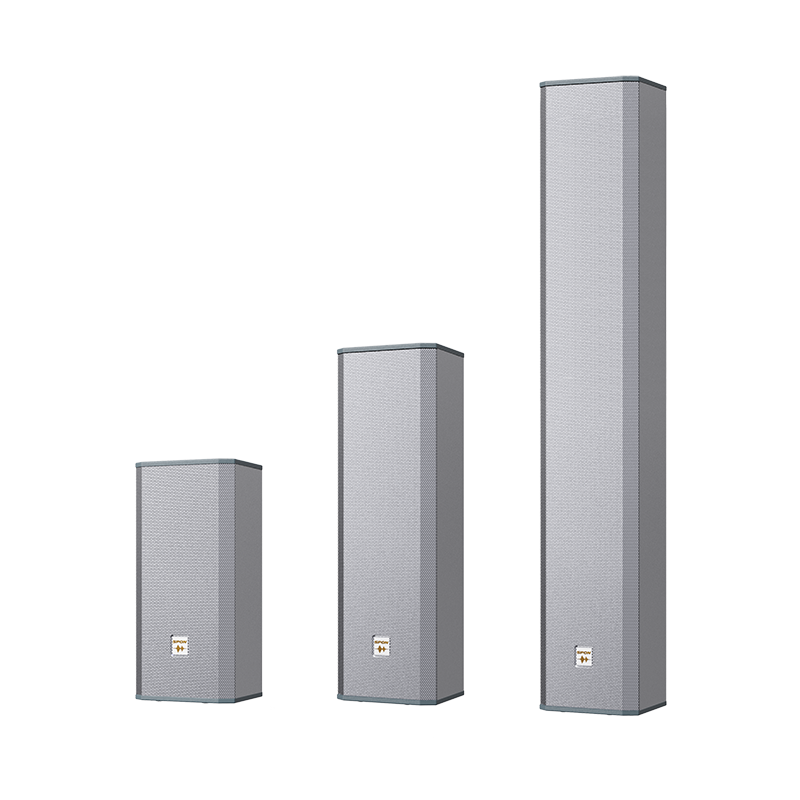
  • Network Column Speakers: Slim vertical arrays for reverberant spaces like transit halls and worship venues
For projects using IP amplifiers with conventional speakers, analog loudspeakers remain fully compatible:
Speaker Type Typical Application Mounting
Ceiling speaker Offices, retail, corridors Drop ceiling tile
Wall-mount speaker Classrooms, hallways, stairwells Surface bracket
Column speaker Transit halls, auditoriums Wall or floor stand
Horn speaker Outdoors, parking lots, factories Pole or wall bracket
Lawn speaker Parks, gardens, campuses Ground spike

Network Audio Bridge (Analog-to-IP Upgrade)

For facilities with an existing analog PA system, a network audio bridge — also called a network audio decoder — enables a phased migration to IP without discarding existing equipment. These devices receive RTP audio streams from the IP network and output analog line-level signals that feed existing amplifiers and speakers.
  • Single-Channel Bridge (GEN-3101A01): Decodes one audio stream for systems that need basic IP-to-analog conversion without zone splitting.
  • 4-Channel Bridge (NBS-2401): Manages up to four independent audio streams, enabling different content per amplifier channel.
  • 8-Zone Bridge (NAS-8504B): Supports eight distinct zones, suitable for buildings that need granular zone control while retaining legacy amplifiers and speakers.
Explore Further: For a complete step-by-step migration guide, including decoder selection, wiring diagrams, and cost-saving strategies, see: How to Upgrade Analog PA to IP PA System.

IP PA System vs Analog PA System: Key Differences

The table below summarizes the architectural differences. For installations evaluating both approaches, the comparison extends beyond feature lists into total cost of ownership.
Feature Analog PA System IP PA System
Audio transmission Dedicated copper wiring TCP/IP network (Ethernet)
Wiring cost High — separate audio cables per zone Low — uses existing or shared network cabling
Zone selection Hardware matrix switches Software-defined, configurable remotely
Scalability Requires new cabling + amplifier per expansion Add endpoint, assign IP, configure in software
Audio quality Degrades with cable distance Lossless digital, no distance degradation
Remote management Not available Full browser/app-based control
System integration Limited, requires relay contacts SIP, ONVIF, HTTP API, fire panel direct
Emergency priority Manual override or relay-triggered Automatic priority override via software rules
Maintenance Physical inspection per device Centralized monitoring, automated fault alerts
Initial cost Lower equipment, higher installation Higher equipment, lower installation
Long-term TCO Higher — cabling and labor per change Lower — network changes are software-only

Benefits of IP PA Systems

The advantages of IP-based public address extend beyond simple wire savings. The architecture enables capabilities that are structurally impossible in analog systems:
 
An IP PA system eliminates the intermediate devices that populate analog racks — zone selectors, preamplifiers, matrix switchers, timers, and sequencers. The network handles routing; software handles logic. What once required a 6U rack of dedicated hardware becomes a single server (or even a cloud instance).
 
Adding capacity is a software operation. A new IP speaker connects to any available network port, registers with the server via SIP, and is assigned to zones through the management interface. No new cabling, no amplifier sizing, no zone-selector rewiring. Similarly, removing or relocating endpoints requires no physical infrastructure changes.
 
Zones are no longer physical — they are logical groupings defined in software. A single IP speaker can belong to multiple zones simultaneously. A school can have a "Grade 9" zone, a "Gymnasium" zone, and an "All-Campus" zone, with a speaker in the gym belonging to all three. Zone configurations can be changed at any time without touching hardware.
 
Digital audio transmission is lossless over distance. A speaker 100 meters from the source receives the same signal quality as one 10 meters away. With 48kHz sampling rates and 16-bit or higher depth, IP PA systems deliver CD-quality audio that analog systems — subject to impedance loss, crosstalk, and electromagnetic interference — cannot match over long cable runs.
 
System administrators can manage the entire PA infrastructure from any web browser. Schedule broadcasts, change zone assignments, adjust volume per zone, monitor device health, and even push firmware updates — all without leaving a desk. For multi-site organizations, cloud-based platforms extend this capability across all locations simultaneously.
 
IP PA systems implement priority through software rules, not relay contacts. When an emergency broadcast is triggered — by a fire panel input, a manual override, or an automated protocol — the system automatically suspends lower-priority audio (background music, routine paging) in the affected zones, broadcasts the alert, and then restores normal operation. Priority levels are configurable: emergency > business paging > background music.
 
From a 5-speaker single-room installation to a 1000-terminal multi-building campus, the same IP architecture scales without fundamental redesign. The management server handles routing; the network handles bandwidth; endpoints self-register via SIP. Growth is linear and predictable.
Benefits and scalable architecture of an IP PA system

Protocol Standards for IP PA Systems

One of the most frequently overlooked aspects of IP PA systems is the protocol stack that governs interoperability. Understanding these standards is essential for multi-vendor integration and future-proofing.
 
SIP is the signaling protocol that initiates, modifies, and terminates communication sessions. In an IP PA context, SIP handles:
  • Call setup: When an operator presses the page button on a SIP paging station, the device sends a SIP INVITE to the management server (or directly to target endpoints), specifying the target zones.
  • Priority indication: SIP headers can carry priority information, enabling the system to preempt lower-priority sessions.
  • Interoperability: SIP is an IETF standard (RFC 3261), meaning devices from different manufacturers — SIP phones, IP speakers, paging stations — can communicate as long as they implement the standard. This is what makes a "SIP-based PA system" vendor-agnostic.
A key advantage of SIP-based architecture: any SIP telephone can become a paging station. An executive's desk phone can be configured to page the manufacturing floor with a simple speed-dial code — no dedicated paging hardware required.
 
RTP carries the actual audio stream. It operates over UDP for low-latency delivery and supports two transmission modes:
  • Unicast: Point-to-point delivery. The server sends individual streams to each endpoint. Suitable for targeted paging to specific speakers or small groups. Bandwidth scales linearly with the number of recipients.
  • Multicast: One-to-many delivery. The server sends a single stream; the network replicates it to all subscribed endpoints. Essential for building-wide or campus-wide broadcasts — 500 speakers receive the same stream at the cost of one. Requires IGMP-snooping switches.
 
ONVIF is the standard that enables IP PA systems to integrate with Video Management Systems (VMS) and IP cameras. Specifically, ONVIF Profile G and Profile T include audio backchannel support, which allows a VMS operator to:
  • Send live voice broadcasts to speakers located near specific cameras
  • Listen to audio from microphone-equipped cameras
  • Trigger automated audio alerts based on video analytics (e.g., perimeter intrusion detection playing a warning message)
This capability transforms the PA system from a standalone broadcast tool into a component of a unified security platform.
 
Most IP PA management platforms expose HTTP/HTTPS APIs that allow third-party systems — building management systems (BMS), access control platforms, scheduling software — to trigger broadcasts programmatically. A typical use case: an access control system detects a forced door at 2 AM and sends an HTTP POST to the PA server, which broadcasts a pre-recorded warning to the area.
Audio Codecs
Codec Bitrate Quality Use Case
G.711 (PCM) 64 kbps Toll-quality voice Standard paging, low bandwidth
G.722 64 kbps Wideband voice High-clarity paging
Opus 6–510 kbps Full-band audio Music streaming, high-fidelity
MP3/AAC Variable High-fidelity Background music distribution
PoE Standards
Standard Power Available Typical Application
IEEE 802.3af 15.4W IP speakers, paging stations
IEEE 802.3at (PoE+) 30W Higher-power IP speakers, IP amplifiers
IEEE 802.3bt (PoE++) 60–90W Large IP horn speakers, IP amplifiers

How to Design an IP PA System

IP PA system design follows three common deployment patterns depending on project scale and existing infrastructure: a pure IP solution using network speakers for small projects (≤30 terminals), an IP amplifier + analog speaker solution for cost-efficient medium-to-large deployments, and a network audio bridge approach that upgrades legacy analog systems without replacing existing amplifiers and speakers. Each scenario involves considerations around amplifier sizing, speaker selection, zone planning, and cable specifications.Explore Further: For the complete step-by-step design tutorial — including detailed calculation formulas (amplifier power ≥ 1.5 × total speaker load, cable cross-section S ≈ 5√(L×P)), wiring diagrams, speaker selection tables by environment, and amplifier matching decision trees — see: How to Design an IP PA System?

System Integration Capabilities

One of the most compelling reasons to choose an IP PA system is its ability to integrate with other building systems. Unlike analog PA — which connects to external systems through dry-contact relays and voltage triggers — IP PA communicates through standard network protocols.

SIP and Unified Communication Integration

Because IP PA systems use SIP for signaling, they integrate natively with VoIP telephone systems:
  • Phone-to-Paging: Any SIP phone can be authorized to page specific zones. A receptionist dials a speed-dial code and speaks through the overhead speakers — no separate paging microphone needed.
  • Scheduled Announcements: The PA server schedules SIP calls at predetermined times — school bell schedules, shift-change tones, end-of-day store closures.
  • Intercom-to-Paging Escalation: An IP intercom call from a secure entrance can be escalated to a zone-wide page if the situation requires broader notification.
  • Remote Paging: Off-site personnel can page remote facilities via SIP over a VPN connection — useful for multi-site organizations with centralized security operations.

VMS and CCTV Integration

Through ONVIF audio backchannel support, IP PA systems integrate with video surveillance platforms:
  • Live Voice-Over-Video: A security operator watching a camera feed can broadcast live audio to speakers near that camera — warning an intruder, directing a visitor, or responding to an incident in real time.
  • Audio Monitoring: Microphone-equipped cameras feed audio back to the VMS, providing synchronized audio-video surveillance.
  • Event-Triggered Broadcasts: Video analytics detect an event (loitering, perimeter breach, crowd formation) and trigger a pre-recorded audio message through an HTTP API call to the PA server.
  • Message Recording and Playback: Broadcasts can be recorded, timestamped, and archived alongside video footage for post-incident review.

Fire Alarm and Emergency Integration

Emergency functionality is where IP PA systems demonstrate their greatest value over analog predecessors:
  • Direct Fire Panel Integration: Fire alarm control panels connect to the IP PA system through dedicated inputs or network interfaces. When a smoke detector triggers, the PA system automatically broadcasts evacuation instructions to the affected zone and adjacent areas.
  • Priority Override: The system enforces a strict priority hierarchy: emergency broadcast > business paging > background music. Emergency alerts automatically suspend all lower-priority audio without operator intervention.
  • Automated Evacuation Messages: Pre-recorded, multi-language evacuation instructions are triggered automatically and repeated until the all-clear is received.
  • Regulatory Compliance: IP PA systems with voice alarm capabilities can be certified to EN 54-16 (European voice alarm standard) and integrated with NFPA 72 (US fire alarm code) systems, ensuring code-compliant emergency communication.
  • Zoned Evacuation: Rather than a building-wide alarm, the system can deliver phased evacuation messages — alerting the fire floor first, then adjacent floors sequentially — reducing panic and congestion in exit routes.

Application

With its flexible zoning, stable transmission, and intelligent linkage capabilities, IP PA systems have become indispensable tools across various industries. Below are brief overviews of SPON’s successful implementations worldwide:Education (United Kingdom): At a campus in the UK, SPON’s IP PA system perfectly meets the needs of daily management and emergency response. Core applications include an automated bell system that replaces traditional manual bells to ensure classes start and end precisely on time. Furthermore, the system supports campus-wide announcements, allowing administrators to efficiently broadcast notices, event reminders, and campus information. Most importantly, it provides emergency evacuation alerts, quickly broadcasting mandatory instructions during emergencies (such as fires or lockdowns) to ensure the safety of all students and staff.
 
Healthcare (Vietnam): In a Vietnamese hospital where quiet and efficient communication is vital to patient recovery and medical operations, the IP PA system is the ideal solution. Key applications include silent paging integration and department-specific regional broadcasting. Silent paging allows medical staff to receive notifications without noisy broadcasts, while regional broadcasting directs information to specific areas (such as the ER, wards, or pharmacy). This ensures medical instructions and patient notices are delivered accurately without disturbing other areas.Manufacturing (Thailand): High ambient noise levels in a Thai industrial plant posed a major challenge for traditional systems. The IP PA system addresses this by utilizing high-power industrial speakers and interference-resistant digital transmission, ensuring safety notices, production instructions, and shift reminders are heard clearly by all workers. Additionally, the system integrates seamlessly with alarm systems—triggering automatic broadcasts the moment equipment malfunctions or safety hazards are detected.Retail & Malls (Panama): A shopping center in Panama relies on the IP PA system to enhance the shopping experience and ensure public safety. The system supports background music (BGM) distribution, allowing personalized music in different zones (e.g., apparel, dining, and general mall areas) to create a pleasant atmosphere. It also provides emergency voice guidance, capable of switching instantly to emergency mode during fires or overcrowding to provide clear evacuation instructions.

Key Considerations Before Choosing an IP PA System

Before specifying an IP PA system, evaluate these seven dimensions:1. Network ReadinessAssess the existing network infrastructure. Are switches managed? Do they support IGMP snooping for multicast? Is there adequate bandwidth on the segments where PA traffic will flow? Can VLANs be created to isolate PA traffic? A network assessment by an IT professional should precede any IP PA deployment.2. Reliability PlanningFor life-safety applications, redundancy is non-negotiable. Consider: redundant power supplies on switches and servers, dual network paths for critical zones, server failover for the management platform, and UPS backup for all active components.3. Ownership and ManagementClarify who manages the PA system. In many organizations, the AV team handles PA equipment while IT manages the network. Define the boundary: who configures VLANs, who manages SIP registrations, who responds to device alerts, who performs firmware updates. A clear responsibility matrix prevents operational gaps.4. ScalabilityDesign for current needs plus realistic future growth. If you anticipate adding zones, buildings, or endpoints, ensure the selected platform can scale without forklift replacement. A LITE PA system supporting 30 terminals cannot be expanded to 300 without migrating to a PRO-PA server — plan accordingly.5. SecurityNetwork-connected PA systems are potential attack surfaces. Evaluate authentication mechanisms, encryption support, and network isolation capabilities. See the next section for detailed security guidance.6. ComplianceIf the system serves emergency communication, verify compliance with applicable codes: EN 54-16 in Europe, NFPA 72 in the United States, BS 5839-8 in the UK, and local building codes that mandate voice alarm systems for certain occupancy types.7. Budget and TCOLook beyond equipment pricing. Calculate the five-year cost including installation labor, cabling, expansion costs, maintenance, and software updates. In most cases, the IP system's higher equipment cost is offset within 2–3 years by lower installation and expansion costs.

Conclusion

An IP PA system transforms public address from a fixed, hardware-bound infrastructure into a flexible, software-driven communication platform. Its core advantages — software-defined zoning, remote management, native SIP/ONVIF integration, and automatic emergency priority override — are structurally impossible with analog systems. Whether for new construction or phased migration from legacy equipment, IP PA delivers lower total cost of ownership and future-proof scalability.Ready to plan your IP PA deployment? Contact the SPON technical team for a customized system design, or dive deeper into our research and tutorials on SPON.
FAQS
Q1: Will an IP PA system use a lot of office network bandwidth?
No. Most IP PA systems use compressed audio and multicast technology. This allows one audio stream to be sent to many devices at the same time. As a result, the system usually uses very little network bandwidth and does not affect normal office network traffic.
Q2: If the network goes down, will the system still work?
It depends on the system design. Many IP PA systems support local backup or offline playback. For example, some devices can store emergency messages locally. When the network fails, they can still play pre-recorded announcements or alarms. For critical places such as airports or factories, it is also common to use redundant networks or backup servers to improve reliability.
Q3: What Is Audio over IP?
Audio over IP (AoIP) is a technology that sends digital audio signals through an IP network. Instead of using traditional analog cables, audio data is transmitted through Ethernet networks. This allows easier installation, longer transmission distance, and better scalability.
Q4: How to Integrate an IP PA System with CCTV?
An IP PA system can be integrated CCTV to improve security. For example, when a camera detects suspicious activity, the system can trigger a live voice warning through nearby speakers. This integration helps security teams respond quickly and manage large areas more efficiently.