How to design a PA system for a small commercial area? A complete guide
Design a small commercial PA system with clear zoning, reliable paging, even coverage, and easy expansion for future business needs.
Why a PA System Matters in Small Commercial Spaces?
The PA system must be well-designed to do more than to play sound. It directly affects customer experience, staff effectiveness and safety in a small business environment such as a retail shop, a cafe, a clinic, a showroom or a restaurant.
- Background music (BG) can be used to produce a steady mood and dwell time may be enhanced.
- A paging system allows the staff to make announcements that are clear concerning promotions, queues, and close-outs.
- Zoned audio gives the entrance, main floor, cashier, fitting rooms, and other areas, different areas, different volumes or content running.
- Emergency communication paging system capabilities help you broadcast urgent messages quickly when needed.
The issue is that most of the stores begin with a small number of speakers and realize that the coverage is uneven, the wiring is difficult to follow, and the gear is difficult to add. This tutorial starts with talk-through of a real design process of an audio system, in steps, step-by-step, the design-by-objective, plus two proven audio system architectures that apply to the majority of small commercial systems.
Quick Design Checklist
The following are the points highlighted in this checklist:
- Define goals: BGM, paging system, zoning, emergency communication
- Draw a floor plan and mark key zones (entrance, aisles, cashier, fitting rooms, staff area)
- Calculate coverage requirements in accordance with area, ceiling height and ambient noise.
- Choose an architecture: IP speaker + analog expansion or IP amplifier + analog speakers
- Plan network and power: PoE, switch ports, cable paths, backup power if needed
- Select speaker types: ceiling speakers, wall speakers, columns, outdoor points
- Plan speaker placement and tune volume/EQ per zone
- Document speaker wiring and leave room for future expansion
Design Flow
Small commercial PA system design flow:Requirements → Zone planning → Equipment selection → Network/Power → Speaker placement → Speaker wiring → Tuning/Commissioning → Maintenance/Expansion
Step 1: Define Your Goals and Build a “Sound Map”
Key Questions to Ask
Before you choose gear, decide what the system must do.
- Is it BGM only, or do you need a paging system too?
If staff will ever make announcements, don’t treat paging as an afterthought—paging clarity requires different priorities than music.
A small shop often benefits from at least 2 zones:Customer area (main floor)Staff/back office or storageRestaurants often need more:Dining area vs. entrance vs. restrooms vs. outdoor seating3.How noisy is your environment?A quiet boutique needs gentle, even coverage. A busy mall store needs higher SPL and stronger speech intelligibility.4.Do you need emergency communication paging system functionality?If the site has safety requirements, you may need priority paging, override behavior, or integration with an emergency source.
Your Step 1 Output: Sound Map
- Content type (BGM / announcements / both)
- Target volume range
- Priority rules (e.g., paging overrides music)
- Control method (local mic, network control, scheduled content)
Step 2: Zone Planning and Coverage Design
Common Zones in Small Commercial Spaces
- Entrance / window display (first impression)
- Main product area / aisles (uniform coverage)
- Cashier / queue zone (speech clarity matters)
- Fitting rooms (lower volume, softer tone)
- Staff area / back office / storage
- Outdoor frontage (optional)
Coverage Principles (Simple and Practical)
- Hot spots (too loud under a speaker)
- Dead spots (quiet aisles, corners, or cashier areas)
Ceiling speakers provide an even distribution that is smooth and is perfect to use in most shops and restaurants.Column or wall mounted speakers enhance projecting of speech in long corridors or even technology-constrained areas.
On-the-fly (No difficult mathematics) Rules of Thumb
- Higher ambient noise → more speakers or higher power per point
- Higher ceilings → wider spacing becomes risky; consider more points or better aiming/selection
- For paging clarity, it’s usually better to use more evenly distributed speakers at moderate volume than a few loud speakers.
Bluetooth Ceiling Speakers: Use With Care
Bluetooth ceiling speakers (or bluetooth speakers for ceiling) can be convenient for quick BGM in very small areas, but they’re often limited for professional paging systems:
- Bluetooth can be unstable in crowded RF environments
- Latency/connection behavior can be inconsistent
- Harder to centralize control across zones
For reliable paging, zoning, and emergency communication, wired or networked audio is usually the safer choice.
Step 3: Two Recommended Architectures (Practical “Best Fit” Options)
Most small commercial projects can be simplified into one of these two approaches. Choose based on store size, zoning needs, and future expansion.
Option A: One IP Speaker + Three Analog Speakers (Simple Expansion Architecture)
- small-to-medium stores
- basic zoning needs
- fast deployment
- budget-sensitive projects
The IP speaker acts as the main network endpoint (and often the primary paging point).It can drive up to three analog speakers to extend coverage without adding extra network devices.
- Faster installation and simpler wiring paths
- Fewer devices to manage
- Lower risk in deployment and maintenance
- Place the IP speaker near the main customer area or cashier (for paging audibility)
- Use three analog ceiling speakers to cover aisles and product zones evenly
This architecture is ideal when you want a clean “set-and-go” system that still covers the space properly.
Option B: IP Amplifier + Analog Speakers (Flexible Zoning Architecture)
- medium-to-larger small commercial spaces
- stronger zoning needs
- growth or redesign expected
- The IP amplifier becomes the central engine of the system
- You can connect a wider variety of analog speakers and plan zones more flexibly
- Easier to expand speaker count later
- Better control for multiple zones and priorities
- Better support for paging priority and emergency behavior
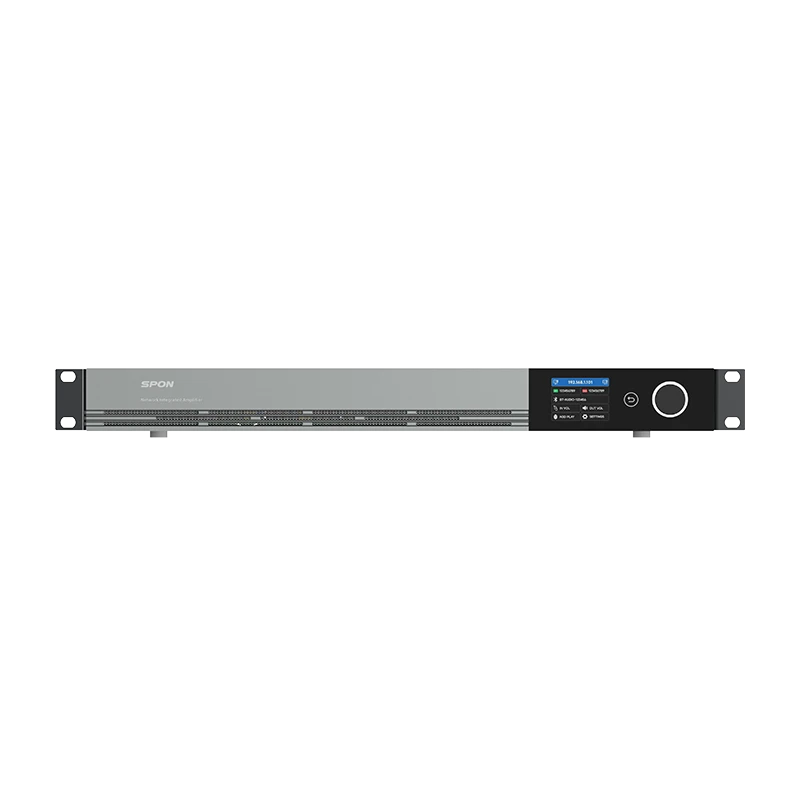
- Mount the IP amplifier in a rack or utility cabinet
- Run speaker lines to each zone
- Adjust volume by zone such as entrance, main floor, cashier, and fitting rooms
Step 4: Network, Power, and Speaker Wiring Essentials
A great design still fails if infrastructure is sloppy. These best practices reduce noise issues, save troubleshooting time, and keep expansion easy.
Network and Power (IP Devices)
- Confirm PoE requirements and switch capacity (ports + total PoE budget)
- Use stable switching hardware; avoid “random spare ports” planning
- If paging is mission-critical, consider backup power (UPS) for core equipment
Speaker Wiring (Analog Runs)
- Measure cable paths before pulling wire to avoid shortages or messy slack
- Keep audio runs away from power lines where possible to reduce interference
- Label every run clearly (Zone A / Zone B / etc.)
- Document wiring as-built (this alone saves hours later)
If you plan an emergency communication paging system, keep the wiring and priority routing clearly documented so emergency behavior is predictable.
Step 5: Tuning and Experience Optimization
Installation is not the finish line. Commissioning is where the system becomes “pleasant” and “usable.”
Volume Strategy by Zone
- Cashier/queue: slightly higher intelligibility priority
- Aisles: even coverage, no sudden jumps
- Fitting rooms: lower level, softer ambiance
- Restaurant dining: comfortable background; paging should be clear but not harsh
EQ Principles (Keep It Simple)
- For paging: focus on clarity and consistency; avoid boomy low-end
- For BGM: aim for “non-fatiguing” sound—good clarity without sharpness
Walk-Test Method
- Walk from the entrance to the main floor, cashier, corners, and fitting rooms
- Listen for hot spots and dead spots
- Check for harshness or muddiness
- Verify paging audibility across all zones
Step 6: Maintenance and Expansion Planning
Even small systems benefit from “professional habits.”
- Schedule periodic checks: speaker health, connector tightness, network status
- Keep configuration notes: zone names, volume targets, priority rules
- Reserve expansion capacity: spare switch ports, amplifier headroom, empty conduit paths
A well-documented audio system design is easier to scale when the store adds a new display area, changes layout, or expands seating.
Final Thoughts
Designing a PA system for a small commercial area is about balancing experience, clarity, and long-term flexibility. Start with a clear sound map, plan zones and speaker placement, implement clean speaker wiring, and tune for real customer paths—not just technical specs.To simplify deployment, most stores fit one of two proven models:
- Option A: One IP speaker + three analog speakers — fast, simple, cost-effective
- Option B: One IP amplifier + analog speakers — flexible zoning, easier expansion, better for complex sites
If you want a fast, accurate recommendation, prepare a floor plan with area, ceiling height, and zone requirements. With that information, you can produce a configuration list and an installation-ready layout quickly.

FAQS
Q1: Do small stores really need zoning? 

Not always, but even simple two-zone control (customer vs. staff) improves daily operations. Restaurants typically benefit more from zoning due to mixed-use areas.
Q2: What is the difference between the traditional amplifier systems and the IP systems?
The IP-based systems make it easier to have centralized control, remotely managed and expanded in future. Conventional systems are not necessarily difficult to work, but they can be more difficult to standardize and scale across a number of locations.
Q3: What is the best alternative between option A and option B?
Option A (IP speaker + 3 analog speakers) should be selected in case of a small space and simple requirements and fast implementation. Option B (IP amplifier + analog speakers): Select this option when stronger zoning is required, there is an easy way of expanding it, and more control logic (such as paging priority).
Q4: How many speakers do I need?
Use coverage logic rather than a fixed number. The height of ceilings, level of noise and complexity of layout are more important than space itself. Go after a moderate volume and moderate coverage.
Q5: Can I add more speakers later?
Yes—if you plan headroom in wiring paths, power budgets, and amplifier capacity. Option B is generally more expandable.
Q6: What if the network goes down?
For critical paging, plan a fallback behavior (local source, offline playback strategy, or emergency routing). The exact approach depends on your equipment capabilities.



 2026-03-19
 Author: Tim
 Page view: 1788



 AR
AR
 EN
EN
.png)