


 2025-06-06
 Author: cora
 Page view: 6296
Most public address (PA) or paging systems use a paging microphone for voice broadcasting. An IP paging microphone is a network-based audio communication device. In this blog, let’s explore the basic content of paging microphones.
What is a Paging System?
A paging system is a communication tool. A standard PA or paging system includes a microphone, amplifier, and speakers. It is used to deliver announcements and alerts to specific areas or audiences.
The main goals are to support efficient communication, improve safety, and help things run more smoothly like schools, offices, factories, and public spaces. Paging systems come in many types—from traditional analog setups to modern digital and wireless solutions.

What is a Paging Microphone?
A paging microphone lets you make real-time voice announcements through speakers. It connects to a PA or IP audio system so you can talk to one area, several zones, or the whole building. It often works with horn speakers, ceiling speakers, and other devices, making it a key part of any public address or paging setup.
There are three main types of paging microphones:
1.Analog Paging Microphone: Simple and cost-effective, often used in small buildings.
2.Digital Paging Microphone: Offers better sound quality and more control features.
3.IP Paging Microphone: Connects over a network using IP protocols, ideal for large buildings or multi-site systems.

Benefits and Functions
A paging microphone helps organizations communicate clearly and quickly. With just one button, users can send messages without dialing numbers or using internal codes. Zone selection lets staff broadcast only to areas that need to hear the message, reducing noise in other places.
In emergencies, it can send voice evacuation instructions and mute background music to ensure the message is heard. When integrated into an IP system, it supports centralized or distributed control, offering great flexibility and scalability.
1. Live Paging
Press a button to broadcast voice in real-time to one or more zones. The sound is clear and without delay.
2. Zone Selection & Control
Choose single, multiple, or all zones to control where the message goes. Avoid disturbing unrelated areas.
3. Full/Half Duplex Intercom
Supports real-time two-way voice talk with other devices. Useful in security posts, control rooms, and nurse stations.
4. DSP Audio Processing
Built-in DSP offers automatic gain control, echo cancellation, and noise filtering for clearer, more stable voice transmission.
5. Emergency Paging & Alarm Integration
One-click emergency broadcast or integration with fire and security systems. Send alerts or evacuation messages quickly. Widely used in hospitals, schools, and stations.
6. Scheduled Playback
Works with the system to play bells, background music, or announcements at set times. Common in schools, malls, or factories.
7. Screen Display & Keypad
LCD or touch screens show zone status, volume and power. Use buttons or touch to select zones and modes.
8. IP Network Control
Uses TCP/IP protocol to support remote paging and system setup over LAN or WAN. Ideal for managing systems across buildings or areas.
9. PoE Power Supply
Supports PoE, removing the need for separate power lines. This simplifies wiring and boosts installation efficiency.
10. System Integration
Works seamlessly with PA servers, IP speakers, telephone systems, and video surveillance to build a full smart audio communication platform.
Top 7 Use Cases of IP Paging Microphones
IP paging microphones are widely used in modern communication systems. From campuses to factories, they offer flexible, efficient, and reliable voice communication. Below are the top 7 real-world scenarios where IP paging mics play a key role:
1. Campus Broadcast
In schools, IP paging microphones are a core part of smart campus systems. Teachers can use them to make announcements, play background music, or conduct listening exercises. The system enables centralized communication, supports emergency broadcasts like safety alerts or evacuation commands, and connects smoothly with campus TV, multimedia classrooms, and other resources—pushing forward the digital transformation of education.
2. Leadership Address
In businesses or government offices, managers and executives often need to speak to staff across multiple locations. IP paging microphones allow leaders to broadcast instructions or messages to different zones without being on-site, saving time and improving efficiency. With two-way intercom support, the system also enables real-time communication between departments or levels of management.
3. Real-Time Intercom in Industrial Sites
In noisy and high-demand work environments such as factories, warehouses, or construction sites, IP paging microphones support one-touch intercom and zone broadcasting. Staff can quickly share tasks, respond to emergencies, and work more safely. When integrated with video surveillance and fire alarm systems, these devices help improve on-site coordination and safety.
4. Shopping Mall Communication
In commercial spaces like malls or supermarkets, IP paging microphones are used for customer service announcements, promotions, lost-and-found notices, and emergency messages. Staff can send targeted broadcasts by zone, avoiding unnecessary noise in unrelated areas. They also support scheduled background music playback, creating a pleasant shopping environment and improving the overall customer experience.
5. Factory Paging & Scheduling
In factory, IP paging microphones allow managers to make zone-specific announcements to different production lines or work areas. They can send real-time instructions, respond to abnormal events, and coordinate operations from a distance. Features like priority broadcasting and alarm integration enhance worker safety and help increase production efficiency.
6. Airport & Transportation Hubs
In busy places like airports, train stations, and subways, IP paging microphones help manage high volumes of announcements—like flight updates, boarding calls, or emergency alerts. The system can control multiple terminals across different zones for unified, real-time voice announcements. It’s also ideal for emergencies like missing persons or evacuations, helping ensure passenger safety and operational order.
7. Nurse Station in Hospitals
In hospitals, IP paging microphones connect nurse stations to wards, exam rooms, and operating theaters. Medical staff can make quick voice calls, coordinate across departments, and respond to emergencies. With zone paging and one-touch calling, they can notify rounds, assign doctors, or handle critical patient alerts. Compared to old intercom systems, IP paging is more flexible, secure, and cost-efficient to maintain.
IP paging microphone shows strong adaptability and practical value in various scenarios such as campus, enterprise, factory, shopping mall, hospital, transportation hub. It not only supports remote broadcasting, zone paging, leadership speech and real-time intercom, but also flexibly integrates alarm system, monitoring system and multimedia platform to realize unified scheduling and efficient management.
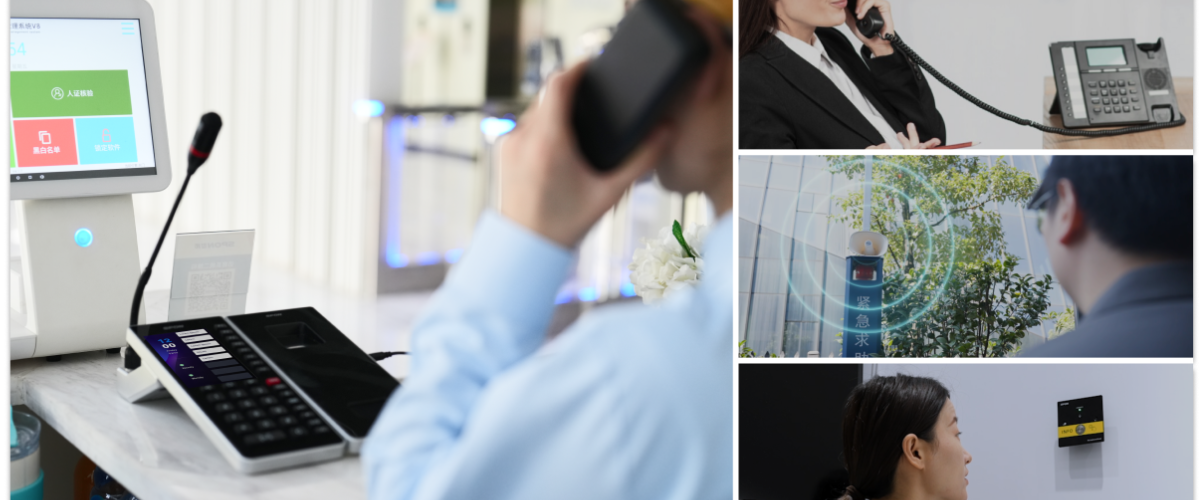
How Does an IP Paging Microphone Work?
An IP paging microphone is a smart device that lets you make announcements, send pages, or talk with others over a network. It uses special audio technology and built-in sound processing to keep your voice clear and steady. With an easy-to-use screen and buttons, it works well in all kinds of places.
1. Audio Transmission Protocols
IP paging microphones use network audio protocols to send voice clearly and quickly over the network. The most common ones are SIP, RTP and RTSP.
SIP Protocol
SIP (Session Initiation Protocol) is used to start, manage, and end voice or video calls.In IP paging systems, SIP handles the call flow for broadcasts and intercom sessions, offering a scalable and efficient communication framework.
Key Features:
♦ Fast and Easy Call Control
SIP makes it quick to start or stop a call. It supports live paging, intercom, and group calling. For example, in a factory, a worker can press a button and instantly talk to several zones at once.
♦ Works with Many Devices
SIP is a common standard, so it can connect with lots of VoIP devices, IP PBX systems, and other platforms. That means your paging mic can fit into systems already used in places like hospitals or schools.
♦ Auto Setup for Best Quality
SIP automatically sets up the best audio settings (like using G.711 or G.722 codecs) to make sure the sound is clear and everything works well, even with different brands or networks.
RTP Protocol
RTP is designed for real-time data delivery, such as audio and video streams.
Key Features:
♦ Low Latency
Ensures real-time transmission of voice with minimal delay—ideal for live communication scenarios like classroom announcements, where immediate delivery is critical.
♦ Codec Flexibility
Supports various audio formats such as MP3 and WAV, offering broad compatibility with different audio equipment.
RTSP Protocol
RTSP (Real-Time Streaming Protocol) controls the streaming of media content. Often used with RTP, it enhances the flexibility of audio delivery in IP paging systems.
Key Features:
♦ Supports Live and On-Demand Audio
Enables both live streaming and playback, useful for scenarios like corporate training where content needs to be shared in real time across locations.
♦ Highly Scalable
Can integrate with other protocols and technologies like HTTP and XML, allowing for advanced audio applications and feature expansion.
2. Audio Processing (DSP)
The built-in DSP (Digital Signal Processor) in IP paging microphones enhances sound quality and system performance.
Audio Equalization:Adjusts frequency response to enhance or reduce specific audio ranges.
Echo feedback:Removes echo to improve voice clarity during calls.
Noise Suppression:Detects and filters out background noise, improving overall signal-to-noise ratio.
3. Display and Keypad Design
The design of the display and keypad directly impacts user experience and operational efficiency.
Display Screen
A high-resolution screen clearly shows information such as paging content, device status, and zone selection. Some models include touchscreens for faster and easier control.
Keypad Design
The keypad layout is simple and intuitive, allowing users to quickly initiate broadcasts, intercoms, adjust volume, or trigger emergency announcements. In urgent moments, this simple design helps people act fast and stay in control.
Need Help Designing a Public Address System?
SPON is a trusted manufacturer of professional audio and public address systems. In addition to delivering high-quality audio devices worldwide, our expert system architecture team has designed and built many complex PA and background music systems for clients across the globe.
If you need help with the design, specification, or build of your next audio, PA, or background music project, contact the SPON team at +86 731 8557 0190 or email inquiry@sponcomm.com .We’re here to help!
Conclusion
The paging microphone enables announcements, background music, notifications and emergency announcements to be made within a building complex. the IP paging microphone is PoE powered, allowing data and power to be transmitted simultaneously over a single cable. Can be used with IP speakers, fire alarm systems, CCTV monitoring systems and telephone systems to provide a complete solution.


 AR
AR
 EN
EN


